


Payroll
Run payroll from data you already trust
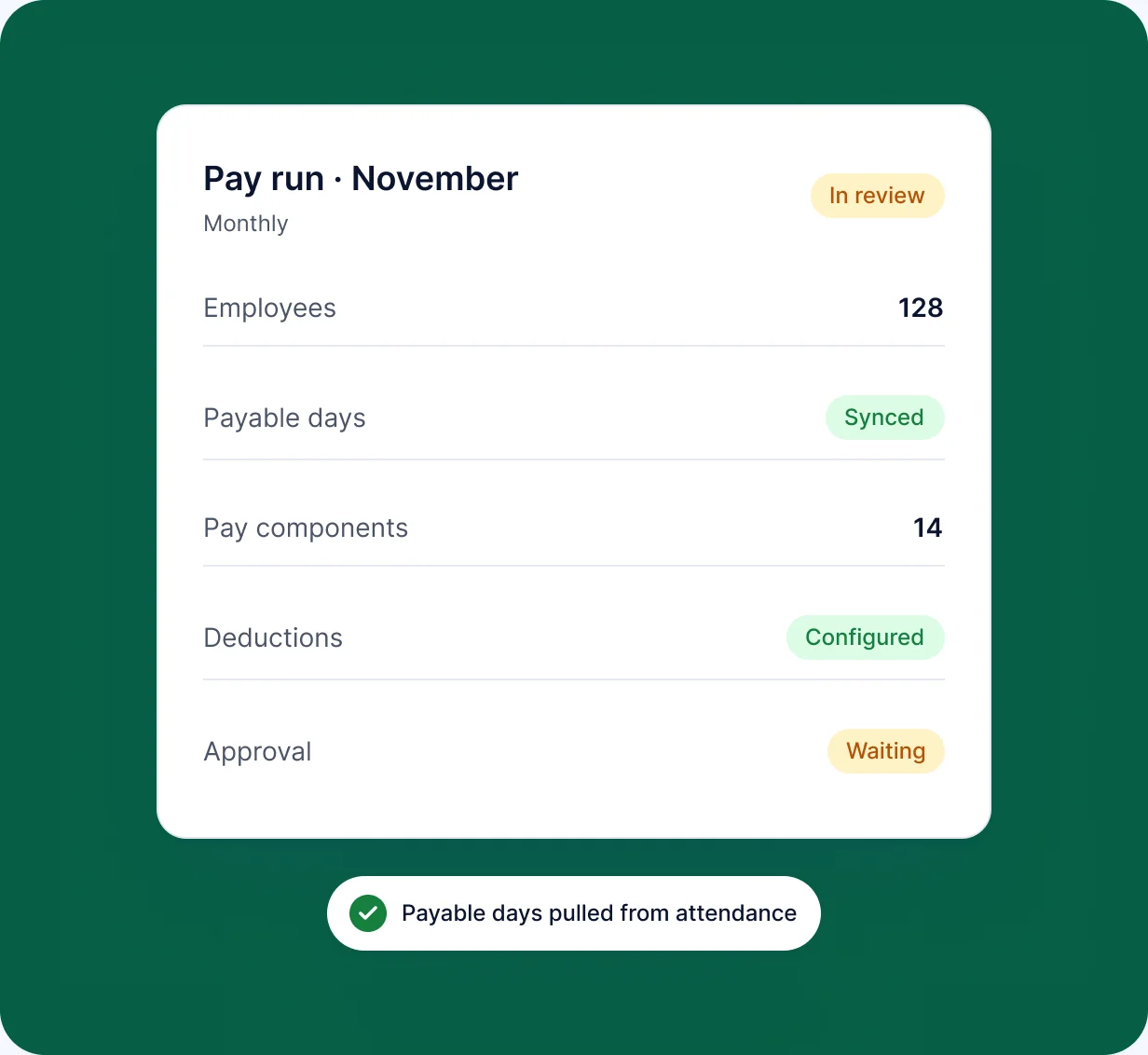
RankHRM Payroll uses salary structures and approved employee, attendance and leave data to prepare each pay run, so HR and finance review one set of numbers instead of reconciling spreadsheets.
Key capabilities
What you can do with Payroll
-
Salary structures
Define pay components and apply them to employees.
-
Monthly pay runs
Prepare each pay run from approved HR data.
-
Review before approval
Check totals and individual lines before the run is finalised.
-
Attendance and leave inputs
Approved time data flows in without re-entry.
-
Controlled access
Only authorised roles can view or change payroll data.
In the product
See Payroll in action
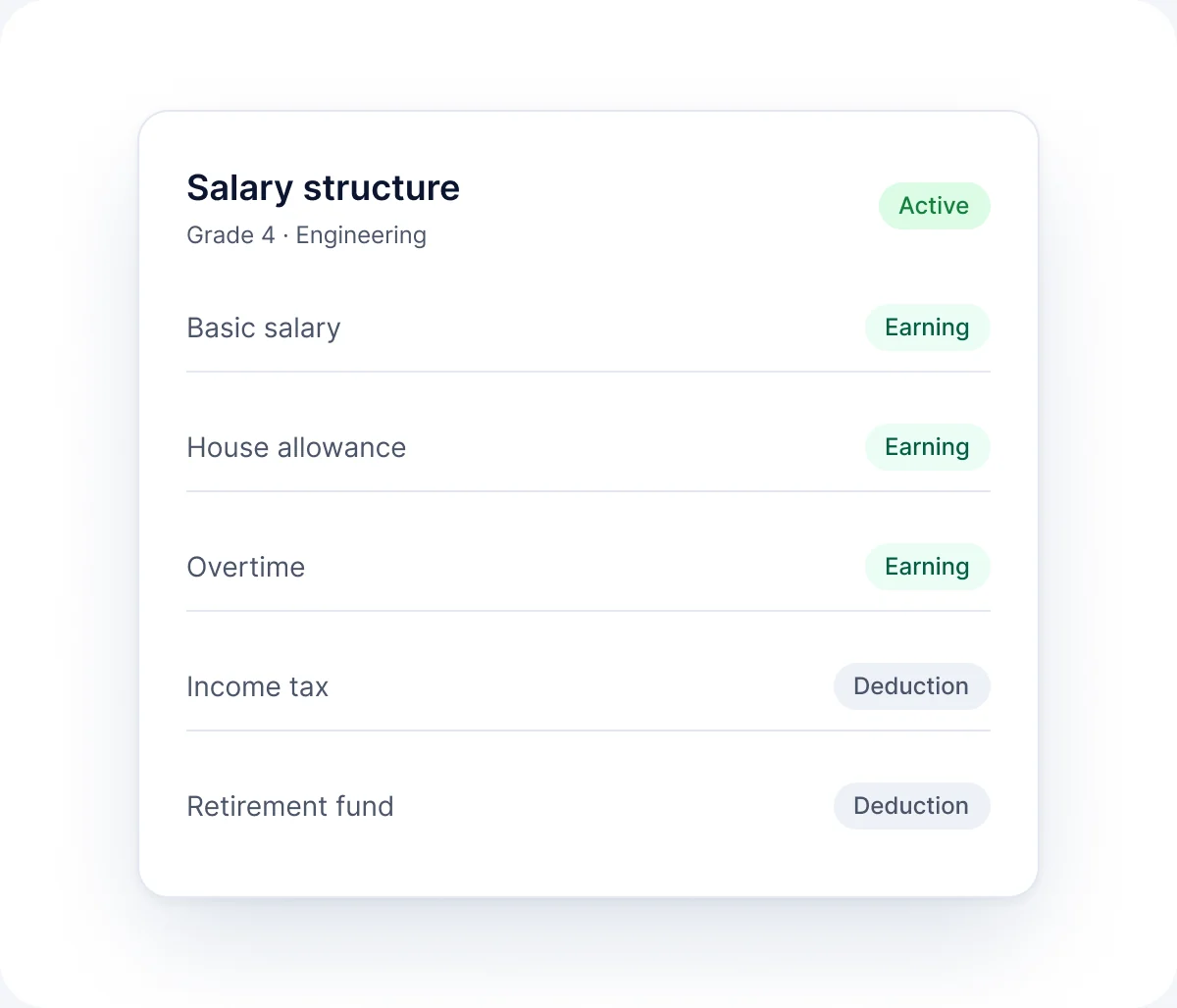
Salary structure
Set up pay components once and apply them across employees.
- Define pay components
- Apply them across employees
Pay run
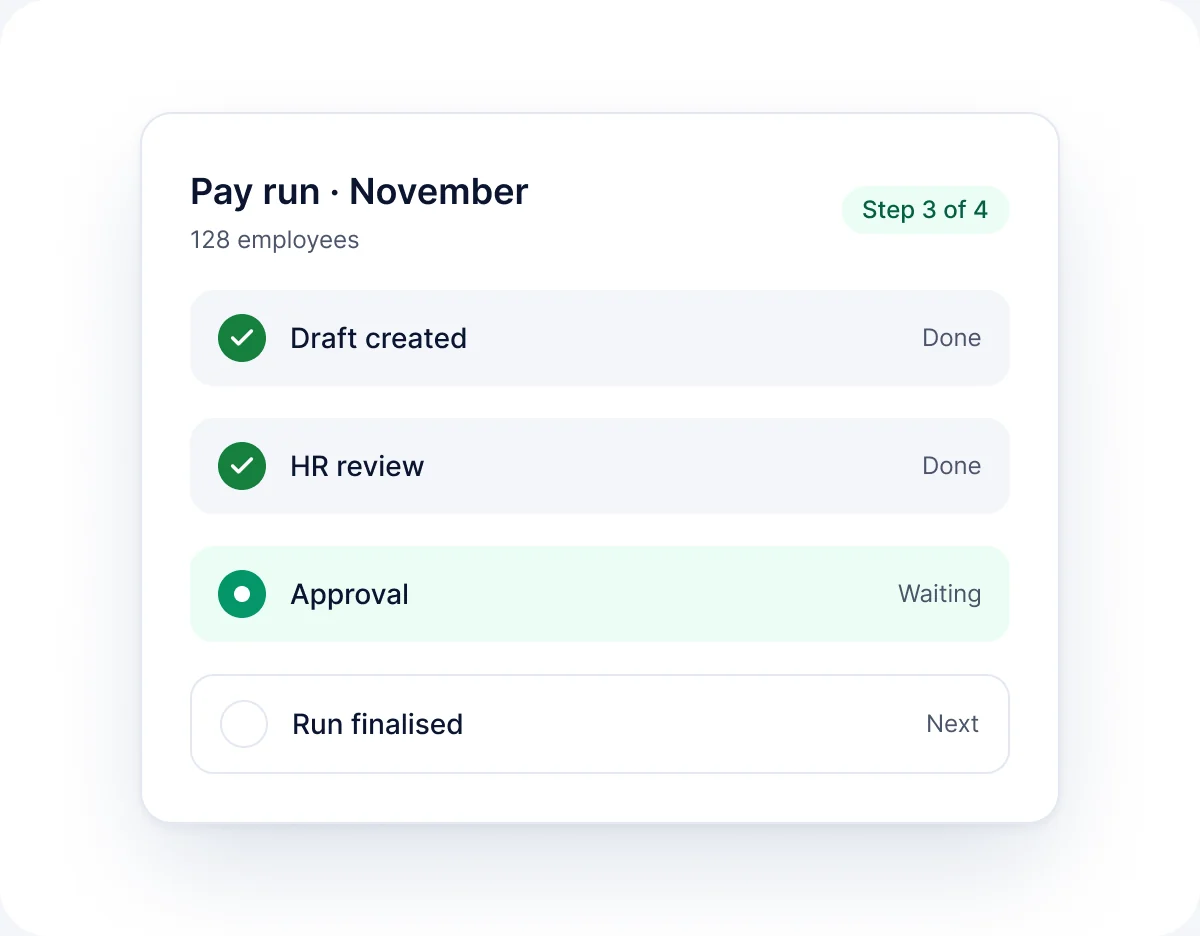
Prepare and review a monthly pay run such as November's before approval.
- Prepare from approved HR data
- Review before approval
How it works
How Payroll works
-
01
Configure
Set up salary structures and rules with your finance team during implementation.
-
02
Collect
Approved attendance and leave data is pulled into the pay run.
-
03
Review
HR and finance check the run and resolve any exceptions.
-
04
Approve
The pay run is approved and recorded.
FAQ
Payroll questions
Short answers to the questions we hear most. See the full FAQ for more.
Read all FAQs
What does RankHRM Payroll do?


It prepares monthly pay runs from salary structures and approved employee, attendance and leave data, with a review step before approval.
Who sets up payroll rules?
Salary structures, rates and formulas are configured during implementation using inputs from your finance or accounts team.
Which countries' payroll rules are supported?
Payroll rules are configured for your organisation during implementation. Share your country requirements when you book a demo.
Who can see payroll data?
Only users whose role includes payroll access, as set in Security.
Bring payroll into your HR platform
Book a 30-minute walkthrough and we will show you a pay run prepared from your salary structures.

What happens next
- 1Share a few details about your team and the modules you want to see.
- 2We email you within 1 working day to agree a time.
- 3You get a 30-minute walkthrough of RankHRM, focused on your workflows.